In object storage “buckets” are containers for storing objects. There’s 4 main operations available to perform on buckets:
- List buckets
- Create a bucket
- Remove a bucket
- View bucket details
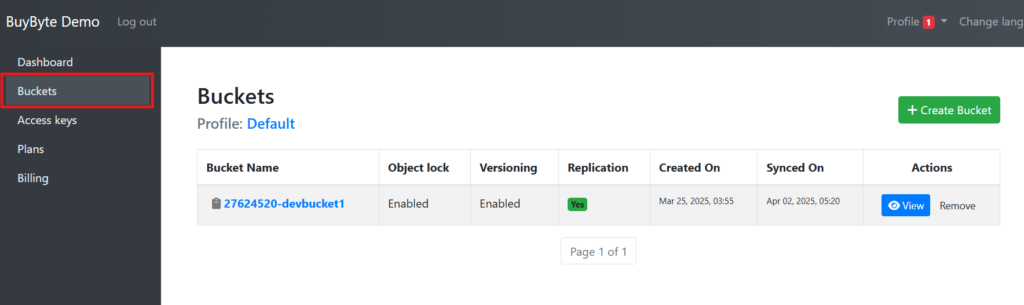
List your existing buckets. #
To list all your buckets, simply click on “Buckets” in left navigation pane:
Create a bucket #
To create a new bucket, click “Create Bucket” button:
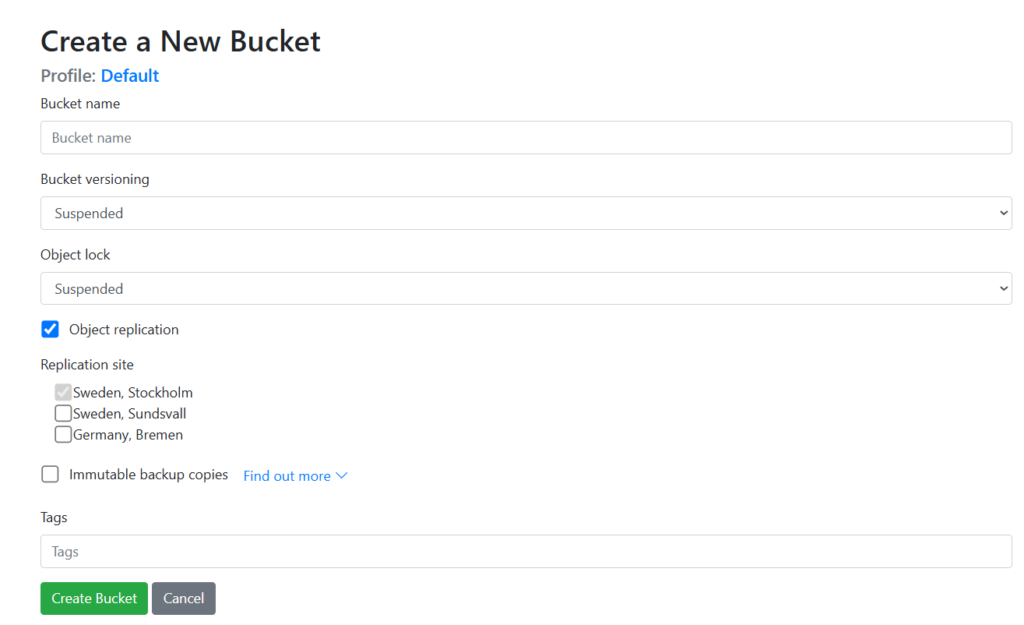
You will need to provide a name, region, and optional settings (e.g., versioning):
Remove a Bucket. #
To delete one of your buckets, you can click “Remove” button opposite the buckets name:
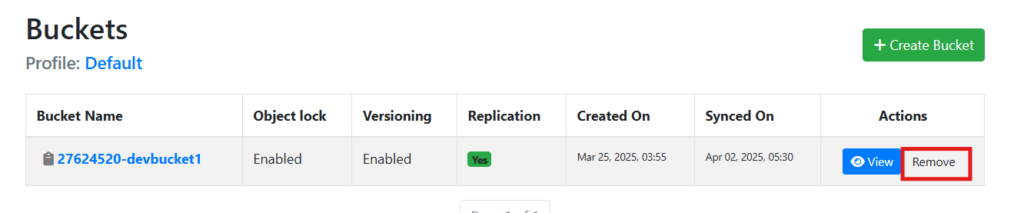
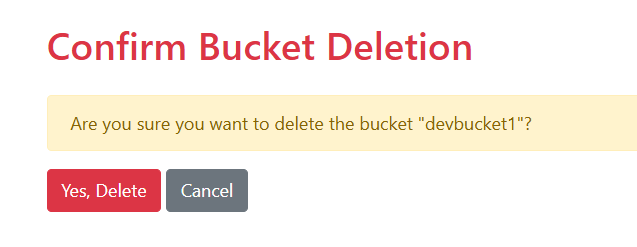
Please note, this operation deletes the bucket and its contents. A second prompt will appear, to confirm whether you really intend to delete the bucket:
View Bucket Details #
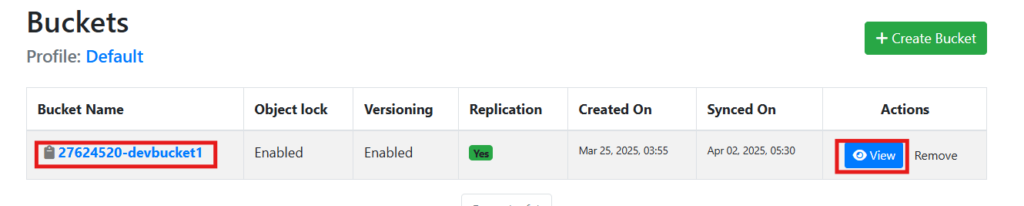
Click either on a buckets name or “View” button to see detailed bucket information such as object count, storage size, and permissions:
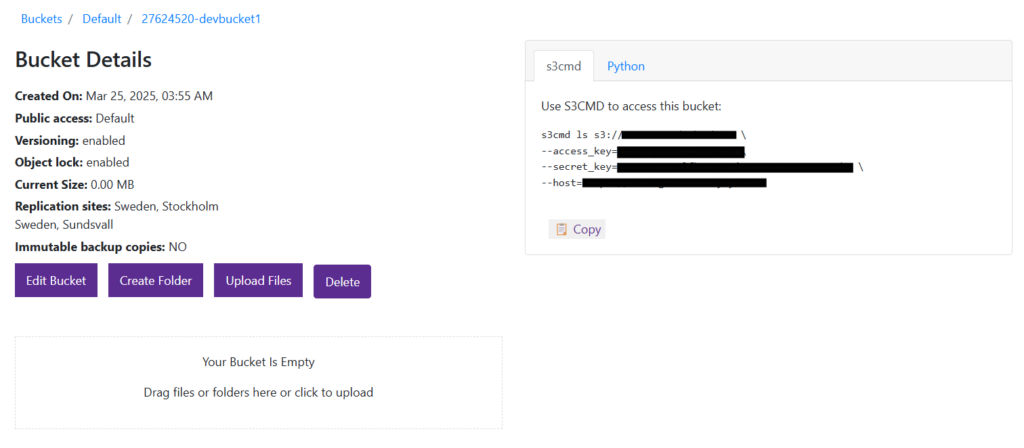
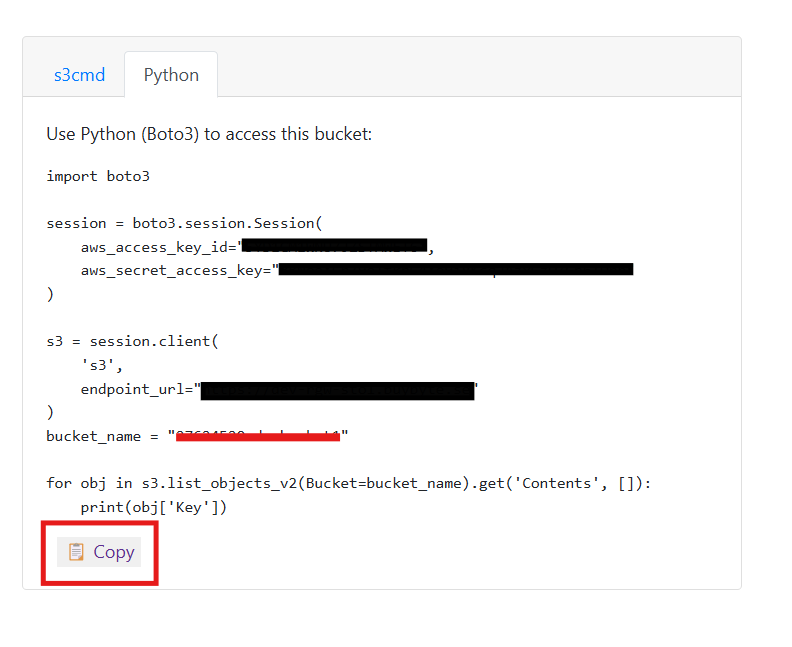
In the right pane you can view and copy generated commands to access the bucket via specific tools and programming language environments: